What the assistant can do
The assistant can read what is open in FastECU and suggest changes. It cannot save a file, flash an ECU or change anything without you approving it.
What it can read
- Loaded ROMs: which are open, their identification and their definition.
- Tables: the list of tables, a description of each, and the decoded values with their axes (in the units of the definition).
- Differences: a table-by-table comparison of two ROMs.
- Datalogs: the CSV logs in your log folder: a summary, the rows, and which cells of a table the log actually used.
- Research notes (optional): see below.
Values are shown in engineering units. For 3D tables the rows follow the Y axis and the columns the X axis. The assistant is told to treat everything as unverified engine data and to say what is measured and what is inferred, but check what it tells you.
Edits are proposals you approve
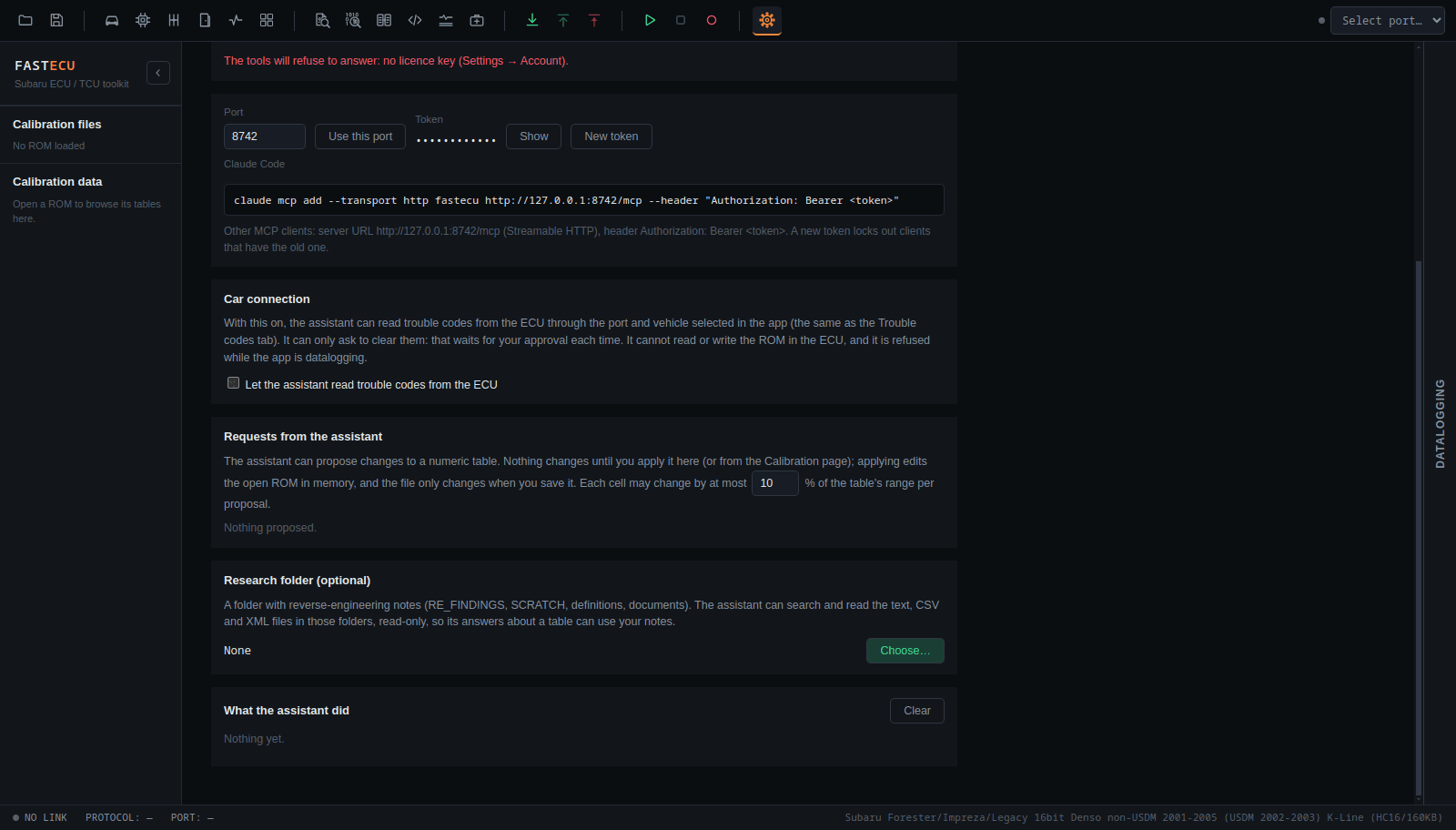
- The assistant can propose changes to a numeric table. Nothing changes until you apply it, in Settings › Assistant (Requests from the assistant) or from the banner on the Calibration page.
- You can read each cell, before and after, with the assistant's reason, then apply, reject or later undo.
- Applying changes the open ROM in memory. The file only changes when you save it.
- Each cell may change by at most a set share of the table's range per proposal. The default is 10 %, and you can change it on the page.
The same list is used by the correction tools: the knock, AFR and boost correctors and the MAF and injector tabs also queue their changes there.
Car connection (off by default)
A separate switch, Let the assistant read trouble codes from the ECU, lets the assistant read trouble codes through the port and vehicle selected in the app.
- It can only ask to clear codes. The request waits for your approval, every time.
- It cannot read or write the ROM in the ECU and cannot flash.
- It is refused while the app is datalogging.
Disassembler and reverse engineering help
The assistant can also help you take a ROM apart. Create a project on the Disassembler page (toolbar </> icon, or Tools › Disassembler) and import the ROM(s). The assistant then works, read-only, on the current project's active file (or another project, or a ROM open in the sidebar):
- list projects and functions, read disassembly and raw bytes, and decompile a function to C;
- find where the code uses an address or range (reads, writes, addresses built, and calls to a function);
- search the decompiled C or the disassembly of the whole ROM;
- for a table of the definition, find the functions that read it, with the decompiled lines around each use.
The decompiled C is the engine's reconstruction. Check a line that matters against the disassembly before you rely on it.
Research folder (optional)
Under Research folder you can choose a folder with your reverse-engineering notes. The assistant can search and read the text, CSV and XML files in its RE_FINDINGS, SCRATCH, definitions, working-definitions and documents subfolders, read-only, so its answers about a table can use your own notes.
What it did
The bottom of the page lists every tool call the assistant has made. Clear empties the list.