Changes, history & tune files
Every change to a loaded ROM is recorded, so you can look back, undo, revert one table, and share just your changes.
One timeline per ROM
A table edit, a hex edit, a revert, a restored snapshot and an applied assistant proposal are each a step in one timeline for that ROM. FastECU stores the byte ranges that differ before and after, so it does not matter how the change was made, and a long history costs almost nothing. Several edits of one table within about a second and a half, and hex typing, count as one step.
Changes & history
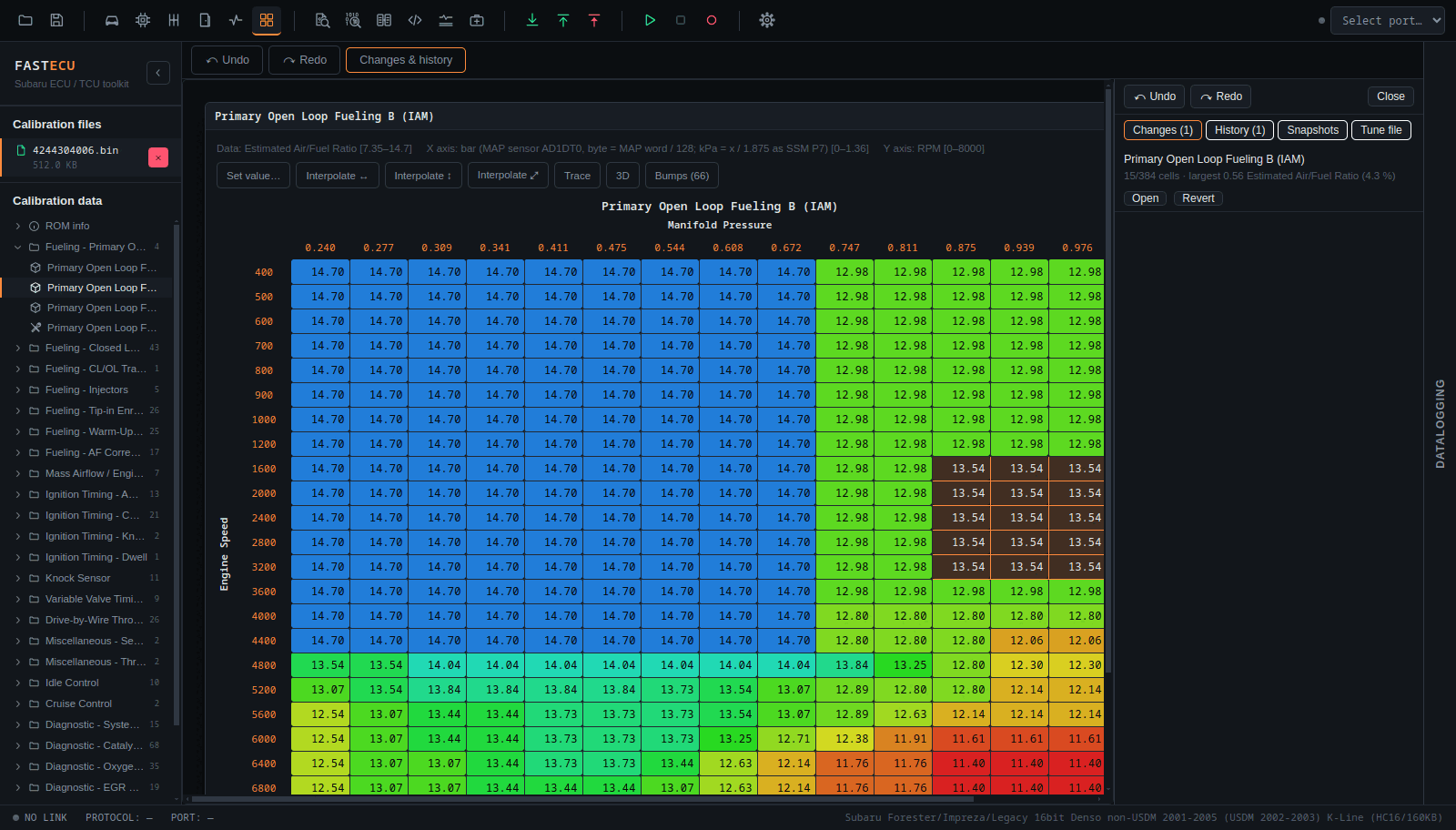
Press Changes & history above the workspace. The panel has four tabs:
- Changes: the tables that differ from the ROM as it was opened, with the number of cells changed and the largest change in the table's units and as a percentage. Open shows the table and Revert puts that table's bytes back to how they were when you opened the ROM (itself a step you can undo).
- History: the steps with time, label and size. Click a step to go back to that state. Undone steps are shown in grey and you can go forward again.
- Snapshots: named states of the ROM that you can return to.
- Tune file: export and apply, below.
Tune files
A .fecutune file holds only the bytes you changed, not the ROM. That makes a tune easy to share without sharing the original file.
- Export saves everything you changed since you opened the ROM: the changed byte ranges with the bytes before and after, and 16 bytes of context around each, plus a name, the ROM id and the names of the changed tables.
- Open a tune file reads one and says what applying it would do, range by range:
- fit as they are: the old bytes are where they were when the tune was made;
- found elsewhere by their bytes: a different version of the calibration, where the old bytes and their surroundings appear exactly once;
- already there;
- cannot be placed: the old bytes are not there, so somebody else edited that part;
- could go in more than one place.
- Apply writes the first two kinds as one step of the history (undo takes it back). It never overwrites the others.
A tune made for another version of the calibration is placed by matching bytes. Always look at the result in the tables, and run the checksum check.