Datalog trace & corrections
Draw a datalog on a table to see where the car actually runs, and let FastECU turn what the log shows into proposed corrections that you review.
These tools are run against datalog files and found to work. They have not yet been tested in real life (log, make the changes, log again) to see how well they perform. Treat every proposal as a suggestion to read, not an answer.
Trace
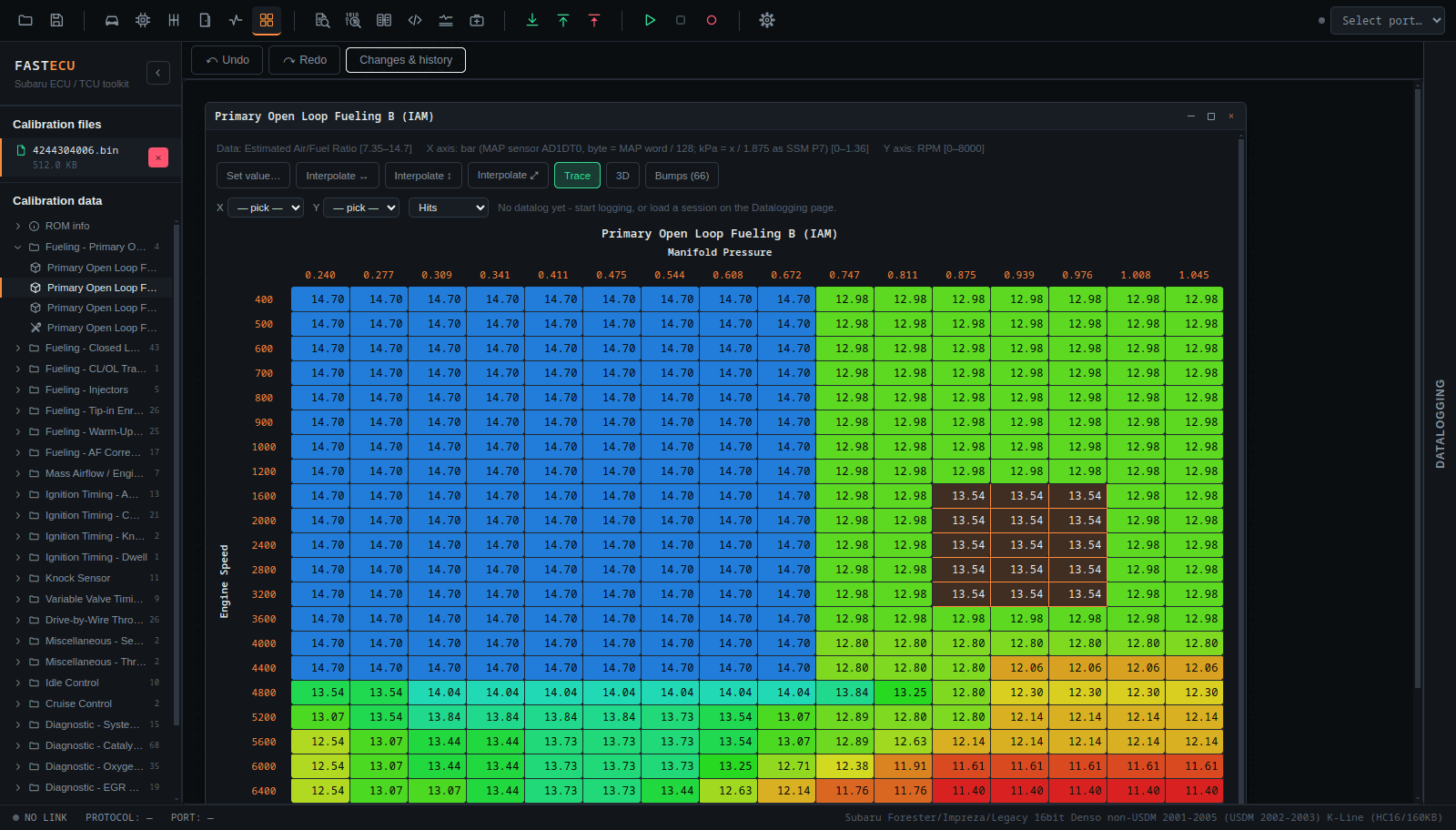
The Trace button in a map window lays the datalog shown on the Datalogging page over the table, live or finished.
- The cell the car is in is outlined and follows a live session.
- Cells are coloured by how often they were hit (with the count), or by the mean of a channel per cell, for example fuel trim or knock correction.
- The channels for the table's two axes are guessed from the axis names (Engine Speed, Manifold Pressure, Load, Throttle and so on). You can change them in the row above the grid, and the choice is remembered per table name. Math channels can be used.
Proposals: how corrections reach the table
A correction is never written straight into the ROM. It becomes a proposal: a banner at the top of the Calibration page lets you read every cell (before, after, and the reason), then apply or reject it. Applying is one undoable step. It is the same list the AI assistant's proposals use, also in Settings › Assistant.
Knock (timing)
With the overlay set to Mean of… a knock correction channel, FastECU turns the per-cell means into a proposed change of the timing table.
- The change is scale × the mean. Cells need a mean of at least a threshold and at least a number of samples; you can allow only decreases, only increases or both, and set a largest change per cell.
- It says how many cells would change before anything is queued.
- Knock preset: scale 1, 0.5° threshold, 5 samples, decreases only, at most 3°. For the base timing table with a knock correction channel it takes out what knock took out and can never advance.
AFR (fuel)
Chosen first on tables whose name says fuel, AFR, lambda, enrichment or injector. It corrects a fuel table cell by cell from the wideband sensor against the AFR you wanted.
- Per sample the factor is measured ÷ target. The target is a logged target AFR, or the table's own cells when it holds target AFR or lambda (an open loop fuel table).
- Readings outside 8-20 AFR (fuel cut, a cold sensor) are left out, and closed loop samples are left out when a CL/OL status is logged.
- The wideband's delay (milliseconds) moves its readings back to when the engine was in that cell.
Boost (wastegate)
Chosen first on wastegate duty tables. It changes the duty cell by cell by gain × (target − actual boost): more duty where boost stayed under target, less where it went over. Only samples where boost is asked for and steady are used. Gain, smallest error, samples needed and largest change (5 %) are settable, and defaults follow the logged pressure unit.
Practical advice
- Log with the engine warm and in conditions you can repeat.
- Make small changes and test again. Compare sessions with Compare with on the Datalogging page.
- Keep knock, lean mixtures and boost in mind: a correction that fixes one number can be unsafe for the engine.