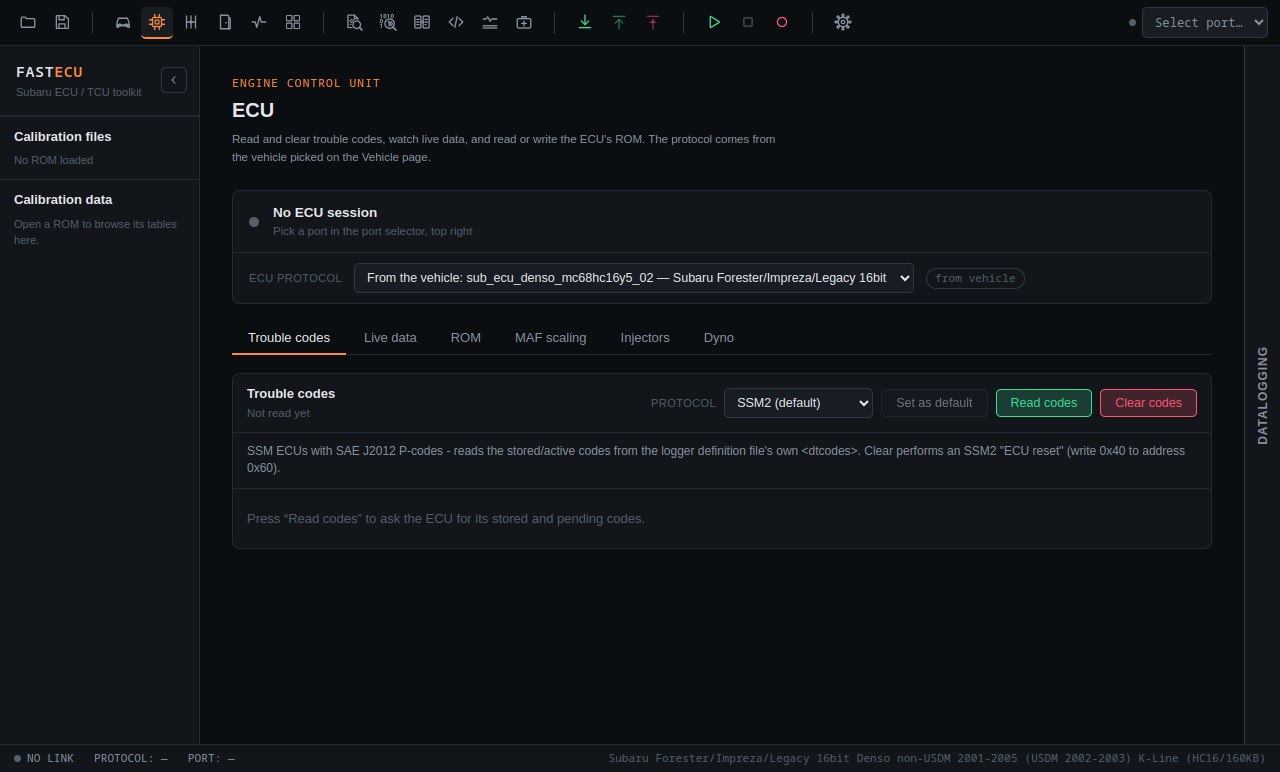
Trouble codes
Read the diagnostic trouble codes (DTCs) stored in a control unit. This does not need a flash session and does not change anything in the ROM.
None of the trouble code protocols below has been tried on a real ECU yet.
Read codes
- Connect your adapter and choose the vehicle.
- Open the Trouble codes tab on the ECU page.
- Check the Protocol dropdown. It starts on the protocol the selected ECU protocol prefers. Change it if your car uses another.
- Read the codes.
Set as default keeps another choice for that ECU protocol, so you do not have to change it each time.
Protocols and cables
| Protocol | Works with |
|---|---|
| SSM1 | A plain serial K-Line cable only |
| SSM2, SSM2 short codes | Selectable in the Protocol dropdown. Which cable it needs depends on the car's K-Line or CAN connection. |
| ISO 9141 | Plain serial cable or a J2534 device |
| ISO 14230 (slow init, fast init) | Plain serial cable or a J2534 device |
| ISO 15765 (SSM2 or OBD2 over CAN) | A CAN-capable adapter |
SSM over CAN talks to the ECU at 0x7E0 (answers on 0x7E8) and the TCU at 0x7E1 (0x7E9), at 500 kbit with 11-bit ids.
Clearing codes
Press Clear codes. FastECU asks you to confirm first. What it does depends on the protocol:
- SSM2: an ECU reset, which writes 0x40 to address 0x60 and clears the stored codes.
- SSM1: writes the ECU's clear value over SSM1.
Read the codes and write them down before you clear anything. A code that was there for a reason will come back, and the stored information is lost once it is cleared.
If you use the AI assistant, it can only request clearing codes; the request waits for your approval in the app.
TCU and BIU
TCU trouble codes are not implemented yet. The BIU page has its own Trouble codes tab.