Definitions & loading ROMs
A definition tells FastECU where the tables of a ROM are and how to read them. Without one a ROM is just bytes.
Open a ROM
Use Open ROM in the toolbar (or on the Definitions page). You can have several ROMs open at once. The sidebar's Calibration files list shows each one; click one to make it the active ROM. The Calibration data tree below shows the active ROM's tables, and each ROM keeps its own open tables and tree state when you switch.
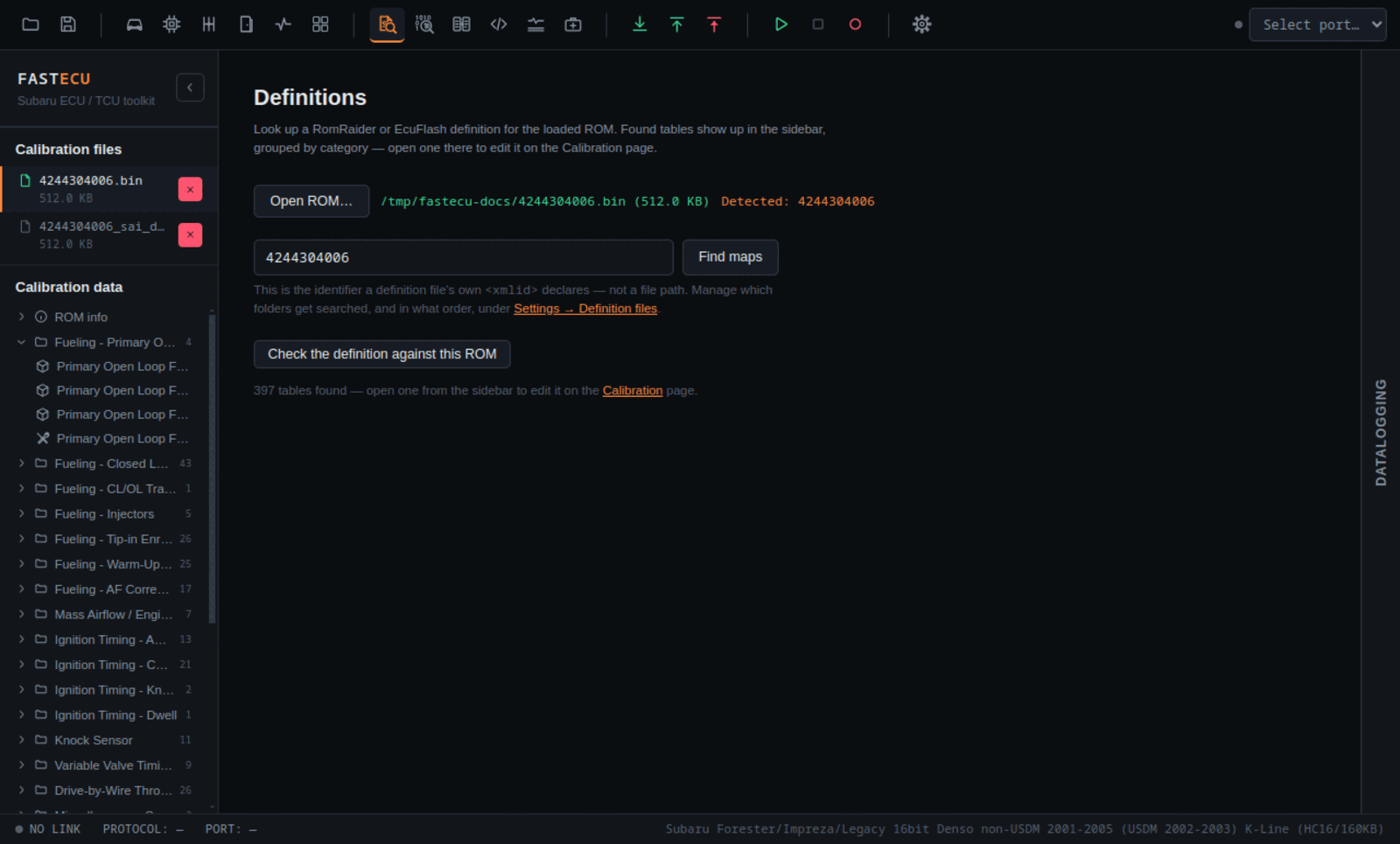
Finding the definition
When you open a ROM, FastECU reads its internal ID and matches it against the identifiers declared in every enabled definition. If one matches, the ID is filled in on the Definitions page and the search runs at once. The page then tells you how many tables were found, and they appear in the sidebar tree, grouped by category.
If nothing matches, type the identifier of the ROM by hand into the field and press Find maps. This is the identifier a definition file declares (its xmlid), not a file path.
The tree icon shows the shape of a table: a wrench and screwdriver is a single value or a selector, bars are a table with one axis, a cube is a table with two axes. Opening one takes you to the Calibration page.
Definition sources
FastECU reads two community formats: RomRaider and EcuFlash XML. Where they live is set in Settings › Files › ECU definition sources:
- Three sources: RomRaider (official), EcuFlash (official) and Custom definitions. Each has a folder and a switch to turn it on or off.
- One source is marked Main. It is checked first when more than one source has a definition for the ROM.
- Custom is for definitions you add yourself. Point it at a folder, or put the file into the folder it already uses.
- In a RomRaider folder,
ecu_defs.xmlis read first. A file named after the ROM's own ID wins over the same ID insideecu_defs.xml.
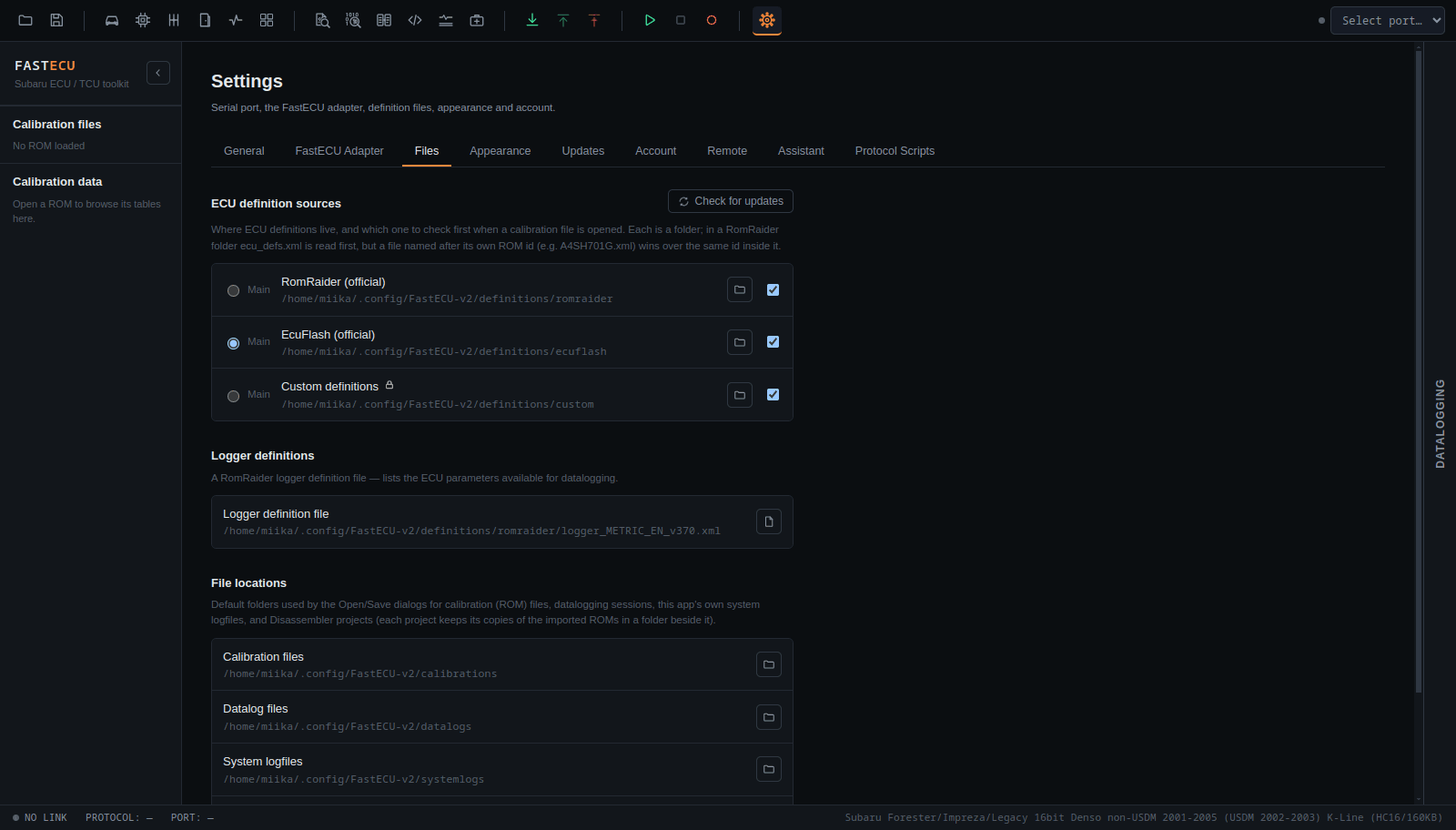
There is also a Logger definition file setting on the same tab: a RomRaider logger.xml that lists the parameters available for datalogging.
Problems with a definition
- A collapsible parse warnings panel lists non-fatal problems in a matching definition (a malformed scaling expression, an unresolved include, a table that never got an address). The definition still works.
- Check the definition against this ROM looks over every table and lists what is probably wrong: tables that run past the end of the ROM or cannot be read, cells that are not numbers, axes that turn round, tables over erased flash (all 0xFF, so the address is probably wrong), overlapping tables, cells that vary like random bytes, and names used twice. Problems, warnings and notes are separate lists, each with an Open button.
ROMs with no definition
Several tools help when a ROM has no definition or only a partial one:
- Hex editor: Find tables looks for tables by their shape, and Add to definition names selected bytes as a table.
- Compare ROMs: Port the definition makes a definition for ROM B from the definition of a similar ROM A.
- Reverse engineering with the Disassembler (documentation coming).
This is not ready yet. Check back later, or ask on the forum.