Compare ROMs
Compare two loaded ROMs table by table, and make a definition for a ROM that has none.
Compare
- Open both ROMs first (Open ROM in the toolbar).
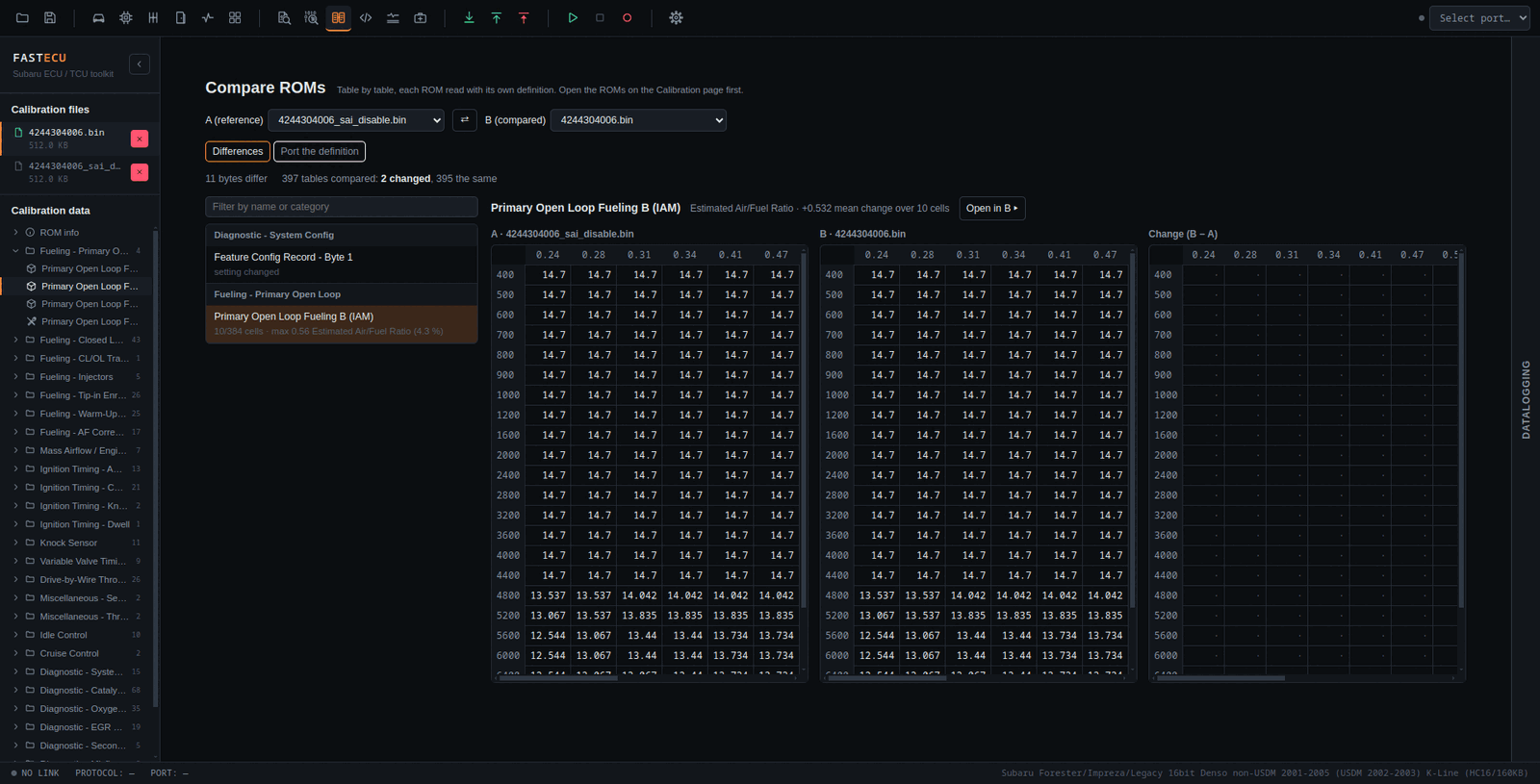
- Open Compare ROMs in the toolbar. Choose ROM A (reference) and ROM B (compared). The swap button exchanges them.
- On the Differences tab the summary says how many bytes differ and how many tables were compared, changed and the same. Tables that exist in only one ROM are counted too.
- Click a table in the list. It is shown as A, B (changed cells outlined) and the change B − A (orange for up, blue for down, deeper for a larger change).
- Each ROM is read with its own definition and tables are paired by name, so two versions whose tables sit at different addresses still line up. A ROM with no definition is read using A's table addresses.
- The list can be filtered by name or category. For each table it shows the changed cells, the largest change in the table's units and as a percentage, and an "axis changed" note. Selector and bit tables show what each ROM has.
- Open in B activates B and opens the table on the Calibration page.
- Comparing is read-only.
Port the definition
The second tab makes a definition for ROM B from the definition of ROM A, when B has none or is another version of the same calibration.
- Where each table of A went in B is found by comparing the two ROMs' bytes. Each table is marked Found (every part in exactly one place), Check (found, but the same bytes occur elsewhere or the table was changed), Not found or Not ported (selector and bit tables).
- In a test of Forester EA1M702A against EA1M500B (whose own definition gave the truth), 94 % of Found tables were right and 64 % of Check tables. Look at the Check ones in the Hex editor first.
- Create the definition writes the Found tables (and the Check ones if you tick it) to your Custom definitions as
<id>.xml. It never replaces a file, is self-contained, and makes B use it.
A ported definition is a good start, not a guarantee
Names, shapes, units and scalings are copied from A; only the addresses move. Check important tables against the ROM before you rely on them.