Overview
FastECU is a desktop application for Subaru ECUs and TCUs: it reads and writes the ROM, edits calibration tables, logs live data and shows what the ECU is doing.
What you can do with it
- Pick your car and let FastECU choose the right ECU, TCU and BIU protocol.
- Read and write ROMs through a K-Line cable, a J2534 device or the FastECU wireless adapter.
- Edit calibration tables (fuel, ignition, boost, rev limits and so on) in a grid, side by side in their own windows, using RomRaider or EcuFlash definitions.
- Log live data, plot it, mark pulls and compare runs before and after a change.
- Correct MAF scaling and injector data from a datalog, and estimate power and torque with a virtual dyno.
- Read trouble codes and sniff the K-Line or CAN bus.
- Compare two ROMs table by table, edit raw bytes in a hex editor, and take a ROM apart in the built-in disassembler.
- Ask an AI assistant to look at your ROM and logs (it can only propose changes, you approve them).
FastECU is under active development. Each feature page in this documentation says what has been tested on real hardware and what has not. In particular, several trouble code protocols and the datalog-based tuning tools have not yet been tried on a real ECU. Treat writing a ROM to a car as something that can go wrong, and read First steps before you connect.
The toolbar
All navigation is in the toolbar at the top of the window. The buttons are icons: hover over one to see its name. They are in groups:
| Group | Buttons (left to right) |
|---|---|
| Files | Open ROM, Save ROM As |
| Pages | Vehicle, ECU, TCU, BIU, Datalogging, Calibration |
| Tools | Definitions, Hex editor, Compare ROMs, Disassembler, Bus monitor, Recovery |
| ROM operations | Read ROM, Test Write ROM, Write ROM |
| Logging | Start Logging (Space), Stop Logging, Record (Ctrl+L) |
| Settings | Settings (the gear) |
At the right end of the toolbar is the port selector, where you choose the adapter or serial port. The status bar at the bottom shows the link state, the protocol in use and the port.
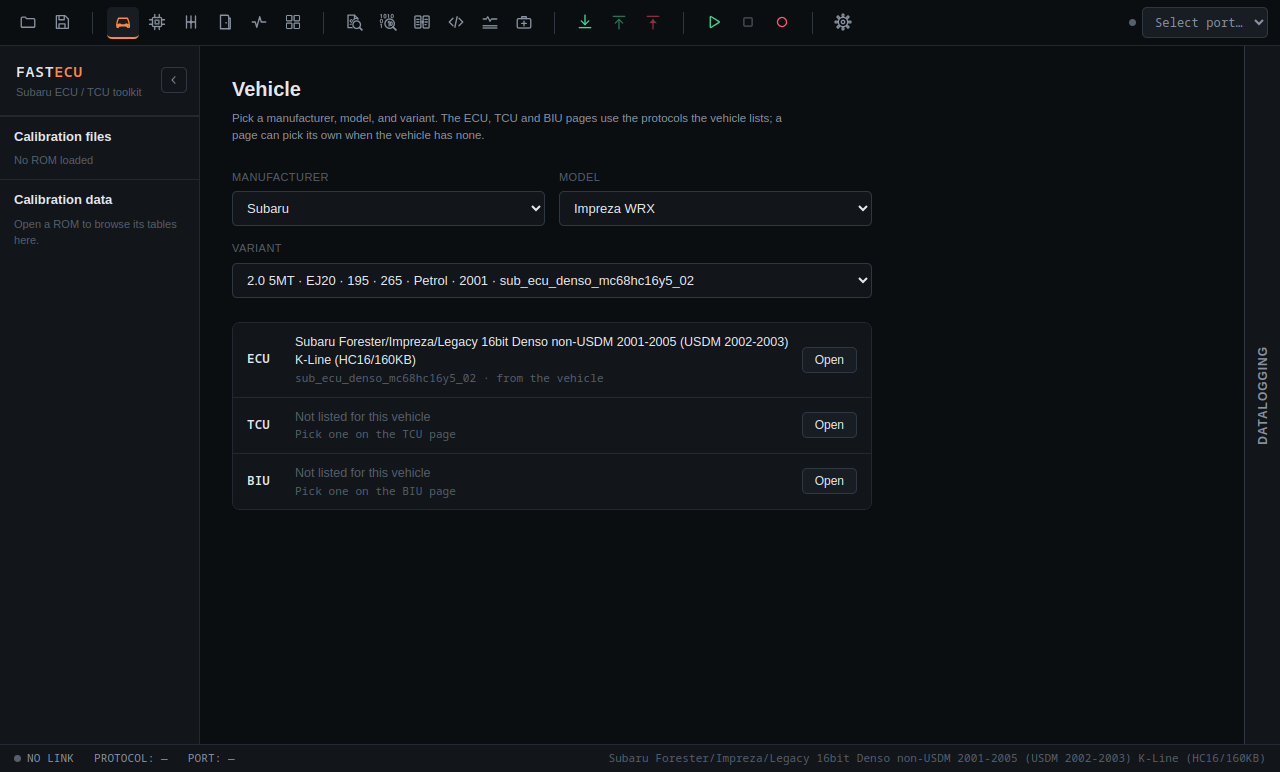
The pages of the app
| Page | What it is for |
|---|---|
| Vehicle | Choose manufacturer, model and variant. This decides the protocols used. |
| ECU / TCU / BIU | Connect to a unit: trouble codes, live data, reading and writing the ROM. The ECU page also has MAF scaling, Injectors and Dyno. |
| Datalogging | Record and plot live parameters. |
| Calibration | Edit tables of the loaded ROM(s) in floating windows. |
| Definitions | Open a ROM and find the definition that describes its tables. |
| Hex editor, Compare ROMs | Raw bytes, and a table-by-table difference between two ROMs. |
| Recovery | Bench recovery of bricked or locked ECUs. See Recovery. |
| Bus monitor | Watch and send K-Line or CAN traffic. |
| Disassembler | Reverse engineering of a ROM. |
| Settings | Folders, appearance, definition sources, license, updates, adapter and assistant. |
How it fits together
A typical session: choose the hardware, connect, read the ROM from the ECU, open it, let FastECU find the matching definition, edit the tables you want, save, and write the changed ROM back. First steps walks through this.
Connecting to an ECU needs an account with a license key. Opening ROMs, editing and saving files work without being connected.