Marketplace
The Marketplace sells FastECU's own ROM definitions inside the app. You pay on Stripe's page in your browser, the definition downloads into its own folder, and the app tells you when a definition you bought has an update.
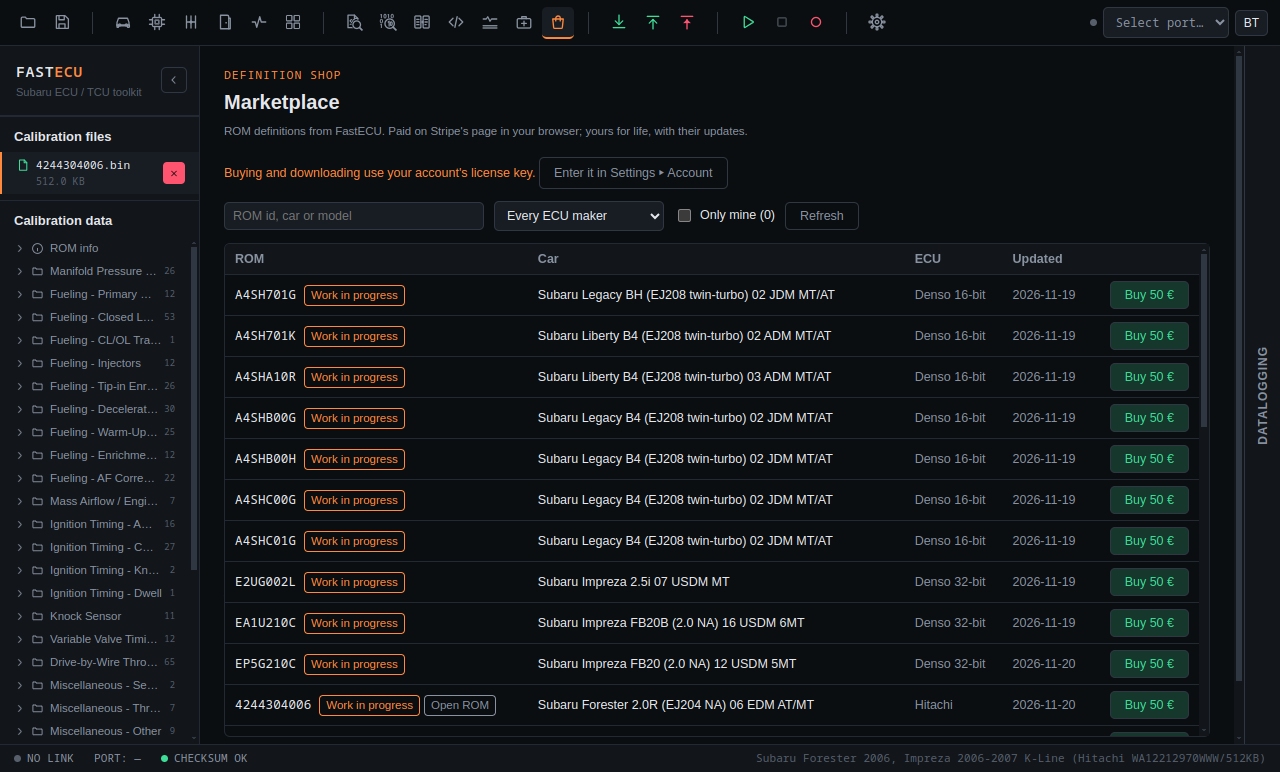
Before you buy
- Open the page with the shopping bag button in the toolbar.
- The catalog shows without an account, but buying and downloading need your account's license key in Settings › Account (see Account, plans & license key). With the key, prices include the discounts your account has, and what you own is marked.
- Search by ROM id, car or model, filter by ECU maker, or tick Only mine for the definitions you own. Work in progress marks a definition that is still being extended.
- If the website cannot be reached, the page shows the catalog it fetched last, with its date.
Buying
- Press Buy on a definition. Stripe Checkout opens in your browser; card details go to Stripe only, never to the app.
- The app waits for the payment. As soon as the website has it, the definition downloads.
- If you close the Stripe page or pay later, press Refresh when it is done, and Download.
A definition you bought is yours for good, with its updates. You can download it again at any time, on any computer where your license key is entered.
Where the files go
- Downloaded definitions go into the Marketplace (purchased) definition source, a folder of its own in Settings › Files › ECU definition sources. A ROM opened after that with the same id uses it.
- The Marketplace folder is read before the other sources, unless Custom is the main source.
- An update replaces the file in the Marketplace folder. If you edit a definition yourself, keep your copy in the Custom folder and make Custom the main source, so your changes win.
A ROM with no definition
When you open a ROM that no installed definition knows, the No definition found dialog looks the ROM up in the Marketplace catalog (the last one fetched, when offline). If there is one for it, the dialog offers it: Buy the … definition, or Download your … definition when you own it already. After the download the open ROM uses it straight away.
Updates
- The app checks the catalog half a minute after it starts and then every six hours. When a definition you bought has a newer version than the one in your Marketplace folder, a definition update button appears in the toolbar.
- It only tells you; nothing is downloaded on its own. The button opens the Marketplace page, where Download it (or Download all) gets the new versions. Each row also shows Installed, Update or Updated.